How do I compress a video on iPhone?
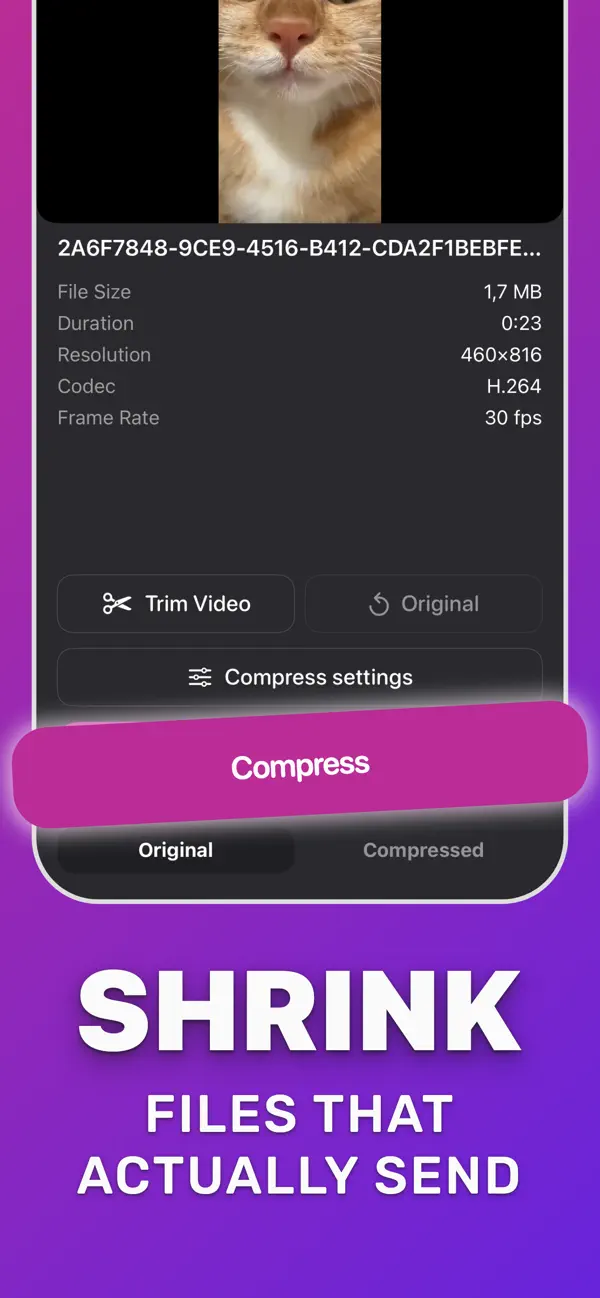
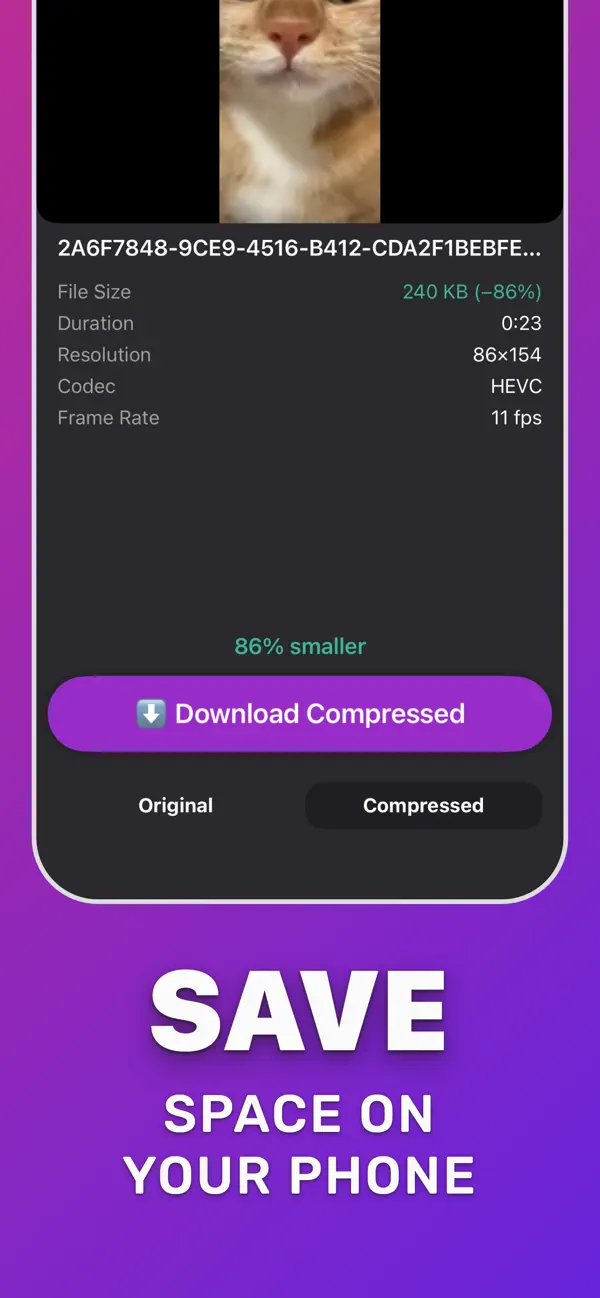
Open Compress Video, pick the clip from Photos or Files (or share it into the app), open Compress settings and drag the resolution slider down (or lower frame rate and audio), tap Compress, then Download Compressed. The app shows the original and compressed size before you save.
Learn more →
How do I reduce video size on iPhone and keep the quality?
Yes, within limits. Re-encoding to HEVC alone often cuts H.264 files by around half at the same resolution. Keep the resolution, lower the frame rate only for talking-head clips, and compare Original and Compressed before you save.
Learn more →
How do I email a video that is too large to send?
Gmail accepts attachments up to 25 MB and Outlook.com up to 20 MB. Compress the clip until the Compressed size reads below that limit, then attach it. For anything bigger, Apple Mail Drop sends a download link instead of the file.
Learn more →
Why does my iPhone say the video is too large to send?
Messages, mail servers and carriers cap attachment size. A minute of 4K video is often well over 150 MB, so it fails. Trim the clip and compress it to a lower resolution, and it sends as a normal attachment.
Learn more →
How do I send a long video on WhatsApp without it being cut or blurry?
WhatsApp recompresses video you send as media. Compress it yourself first so you control the quality, or send the compressed file as a Document, which WhatsApp accepts up to 2 GB without recompressing.
Learn more →
How small does a video need to be for Discord?
Free Discord accounts can upload files up to 20 MB (since August 2026). Nitro Basic allows 50 MB and Nitro 500 MB. Compress until the Compressed size shows under your limit, then share the file to Discord.
Learn more →
Why do videos sent from iPhone to Android look blurry?
When iMessage is not available, the video goes as MMS, and carriers squeeze it to a tiny file. Compress the video yourself to a sensible size and send it through WhatsApp, Telegram, email or a link instead.
Learn more →
Can I trim a video before compressing it?
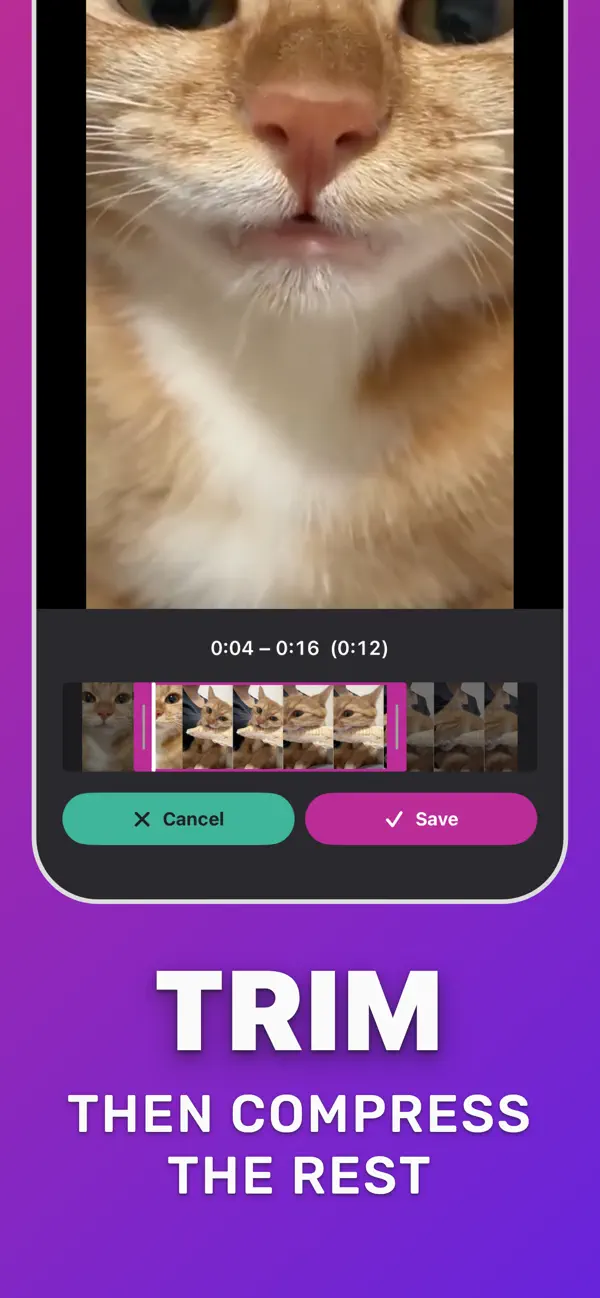
Yes. Tap Trim Video, drag the handles to keep only the part you need, tap Save, then compress. Removing footage you do not need is the fastest way to make a file smaller without touching quality.
Learn more →
Will compressing videos free up storage on my iPhone?
Yes, once you keep the compressed copy and delete the original. 4K and slow-motion clips shrink the most. Deleted originals stay in Recently Deleted for 30 days, so empty it to get the space back.
Learn more →
What is HEVC and why does it make videos smaller?
HEVC (H.265) is a newer video codec that stores the same picture in fewer bits than H.264. Compress Video always exports HEVC, which is why older H.264 clips often shrink a lot even at the same resolution.
Learn more →
Is Compress Video free?
The download is free and includes a daily convert/share limit and one saved project. A premium in-app purchase removes the daily share limit and unlocks more projects. Current prices are shown on the App Store.
See prices on the App Store →
Are my videos uploaded to a server?
No. Compression runs on your iPhone. The app does not upload your video to a server to compress it, so private clips stay on your device.
Learn more →